
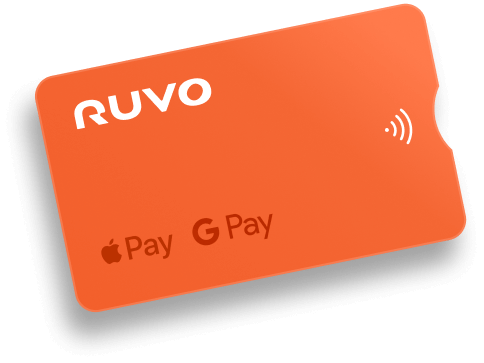
The Ruvo Visa Card, your USDT balance, anywhere Visa works.

Use your Ruvo balance to spend in USD worldwide, online or in-store, with no IOF, no hidden fees, and no FX markup on dollar spend.

See how your Ruvo Card works

Fund your balance, load your card, and spend worldwide — all from your Ruvo wallet

Top up

Add BRL, USD, or crypto to your Ruvo wallet - instantly converted to USDT behind the scenes

Activate

Choose how much of your wallet balance you want available on your Ruvo Card.

Spend

Use your Ruvo Visa anywhere with apple pay and google pay, with no FX markup on dollar spend or IOF.

As a software engineer at Webflow, I've seen and used a ton of fintech tools, but Ruvo really stands out. Their global money transfer app simplifies sending funds internationally—fast, secure, and super intuitive. The user interface is clean, and I appreciate how smoothly it integrates with other financial services. Highly recommend Ruvo for anyone looking for hassle-free cross-border payments!

Card FAQs

Common questions about using your Ruvo Visa card

Yes. Ruvo provides a Visa Platinum credit card for everyday spending. The card is secured by your Ruvo balance, meaning your spending limit is collateralized by the funds you hold in your Ruvo account.
The Ruvo card is a secured credit card. You move funds to your card balance, which sets your available credit. When you spend, your balance is used rather than paying a bill later.
The Ruvo Visa card is accepted anywhere Visa is accepted worldwide — online, in-store, and through digital wallets.
Yes. The Ruvo Visa card works with both Apple Pay and Google Pay for contactless and online payments.
There are no fees on USD transactions. Purchases in other currencies incur a 1% foreign transaction fee plus the applicable exchange rate.
No. IOF is not charged because the Ruvo card is denominated in U.S. dollars.
Yes. You can add funds to your card balance before spending and withdraw any unused balance back to your Ruvo wallet at any time, so you’re never stuck with leftover funds.
Yes. You can view transactions in real time and freeze or unfreeze your card at any time directly in the app.
Ruvo currently supports Apple Pay and Google Pay. Physical cards are available upon request — contact support for details.

Ready to Ruvo?

Wherever life takes you, one wallet's enough.